
Setting up a Google Ads account
Setting up a Google Ads account is the first step towards launching effective advertising campaigns on Google. At this stage, you set the account's basic parameters, such as the billing country, currency, invoicing details, payments profile and access for other users. Setting these elements correctly at the outset helps avoid technical problems and later complications with billing.
What is a Google Ads account?
A Google Ads account is a tool that allows you to create and manage advertisements in Google Search and on the Display Network. It lets you promote a company, products or services precisely when a potential customer is looking for a similar offer. The system operates on a PPC model, meaning that you mainly pay for clicks on an advertisement or other specified user actions.
Is a Google Ads account free?
Creating a Google Ads account itself is free, and charges arise only when you launch advertising campaigns. You can freely use the dashboard, configure the account, add users and prepare campaigns without incurring fixed costs. The advertising budget depends on your decisions, and you control the amount you spend yourself in the campaign settings.
Before you start the setup
Before you begin creating a Google Ads account, prepare a business email address, website and billing details. It is also worth checking that the website works properly on mobile devices, presents a clear offer and includes clear calls to action. A well-prepared landing page increases the chance that traffic from advertisements will turn into an enquiry, a lead or a sale.
How do you create a new Google Ads account?
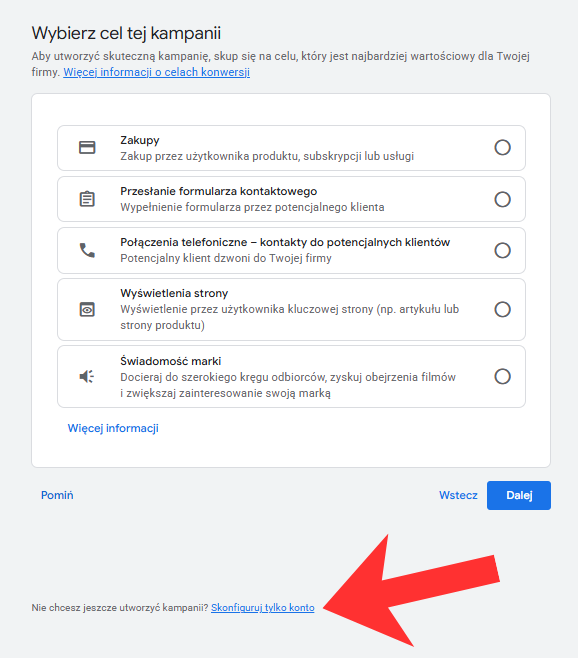
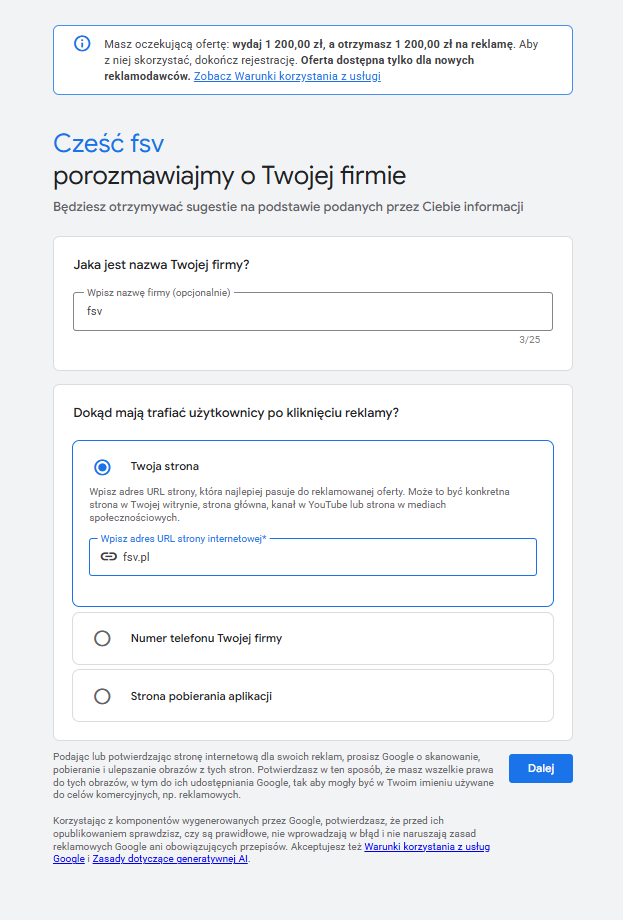
To create a Google Ads account, visit the Google Ads website and begin the account creation process. During setup, you can go through the simplified mode or choose Expert Mode, which gives you more control over campaign settings. After signing in to your Google Account, enter the company name, website address and basic information needed to launch the advertising dashboard.
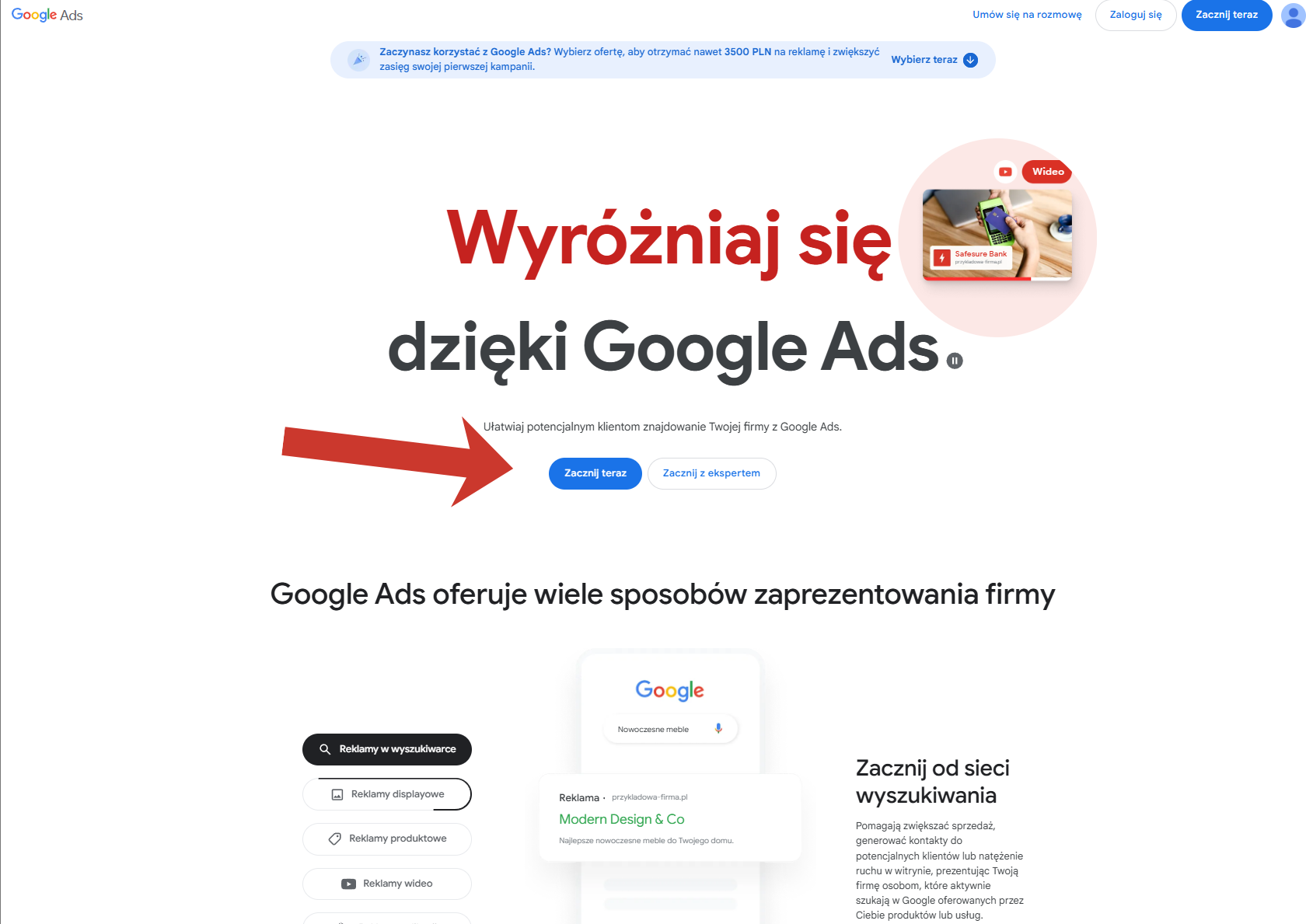
- Go to the ads.google.com homepage and click the 'Start now' button.
- Sign in using your Google email address.To create a new Google Ads account: After signing in to Google, go to the Google Ads website. In the top right corner, you will find two buttons: 'Sign in' and 'Start now'. Click 'Start now', then 'New Google Ads account'.
Smart Mode versus Expert Mode
Smart Mode is intended for people who want to start advertising quickly without delving into the settings in detail. Expert Mode offers much more flexibility because it allows you to control keywords, ad groups, bidding strategies, exclusions and campaign structure. If you want precise ad management and better budget optimisation, Expert Mode will be the better choice.
Setting up payments on the account
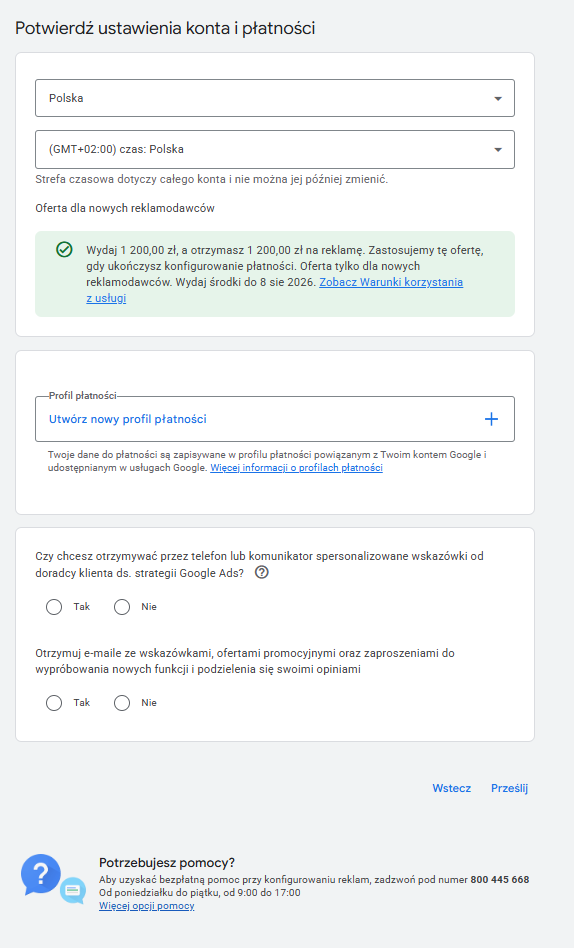
One of the most important stages is setting up Google Ads payments, because correct campaign billing depends on it. In the settings, select the billing country, the appropriate currency and payment method, and complete the company details, including the NIP tax identification number if you want to receive invoices. It is worth entering these details correctly straight away, because some account parameters may be difficult or impossible to change later.
How do you set up a payments profile?
The payments profile in Google Ads stores billing details and the information needed to issue documents. You can link the account to a credit card, debit card or another available payment method, depending on the settings and country. After adding a profile, it is worth checking that the company details, billing address and currency match the actual details used in your business.
Managing account access
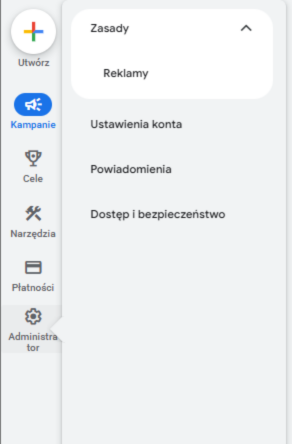
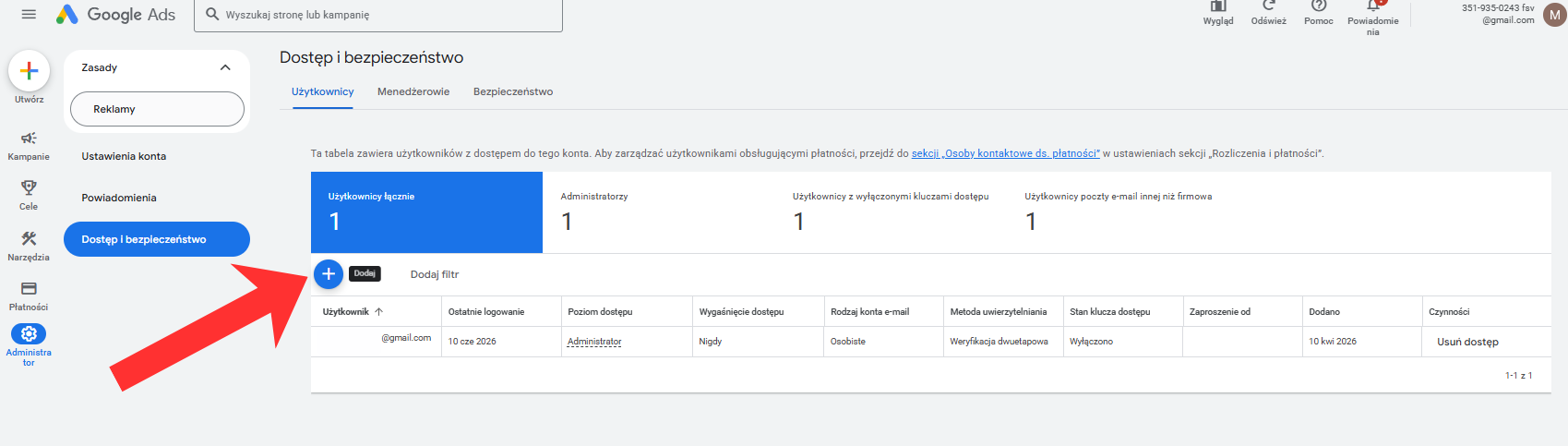
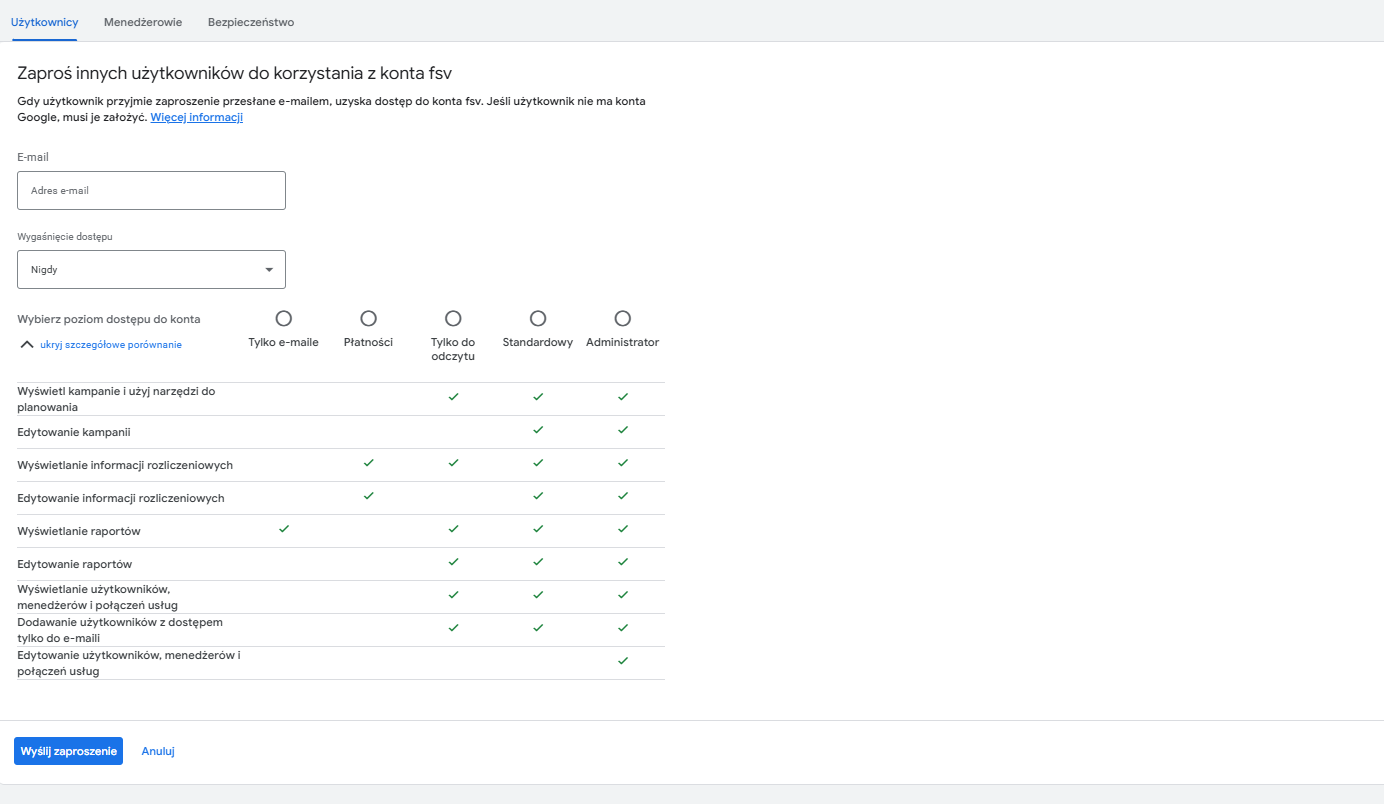
If you plan to work with a marketing agency or a freelancer, you do not need to give them your password. In the 'Tools and settings' tab and the 'Access and security' section, you can send an email invitation to another address, giving the new user the appropriate level of permissions, from read-only to administrator access.
How do you add a user to a Google Ads account?
You add a user to a Google Ads account by sending an invitation to an email address. After accepting the invitation, the new person can access the account within the scope you assigned to them beforehand. Access can have different levels, for example read-only, standard user or administrator, so it is worth matching it to the scope of your collaboration.
The most common mistakes when creating an account
The most common mistakes involve an incorrectly selected billing country, the wrong currency, incorrect company details and a chaotic account structure. Launching campaigns too quickly without a prepared landing page and a carefully considered conversion setup can also be a problem. Avoiding these mistakes at the start saves time, budget and later corrections.
How can you prepare the account for effective advertising?
A well-prepared Google Ads account should have an organised structure, correctly configured payments and assigned conversions. It is also worth planning the division of campaigns into ad groups straight away and matching them to the company's offering. The better organised the account, the easier it is to analyse results and optimise advertisements in the following weeks.
No, the account itself is free. You only pay for ad delivery and user actions related to the campaign.
Some settings can be edited, but not all parameters can be changed after the account has been saved, so it is worth setting them correctly from the outset.
Not always, but if you run a business, it is worth configuring the company and billing details in line with your documents from the outset.
Smart Mode is simpler, but Expert Mode gives you more control and usually works better for more deliberate advertising activities.
Yes, simply grant it account access in the user and security settings.